Writing about a topic helps you master it.
Across 56 classroom experiments, students who wrote about what they were studying learned more of it.
Graham, Kiuhara & MacKay, Review of Educational Research, 2020
For iPhone, iPhone Duo and iPad
Write with fewer distractions, read your words in style, and revise one sentence at a time beside the original.

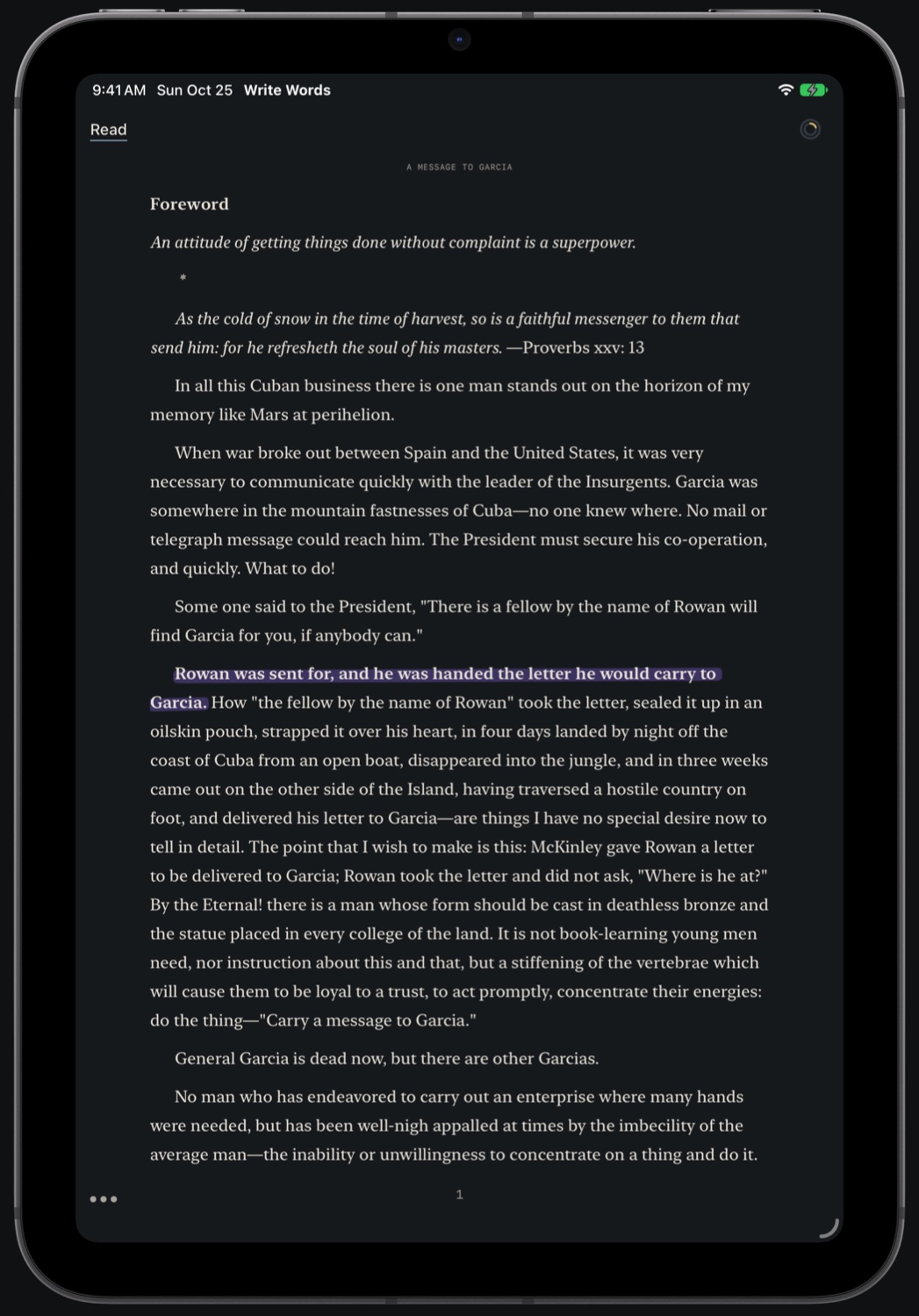
Why Write Words?
AI pressures you to produce more than you can understand or remember.
Write Words is a great companion to your AI workflows: it enables you to take your words, or a model’s, and revise them until the words are right.
Three modes · 1 of 3
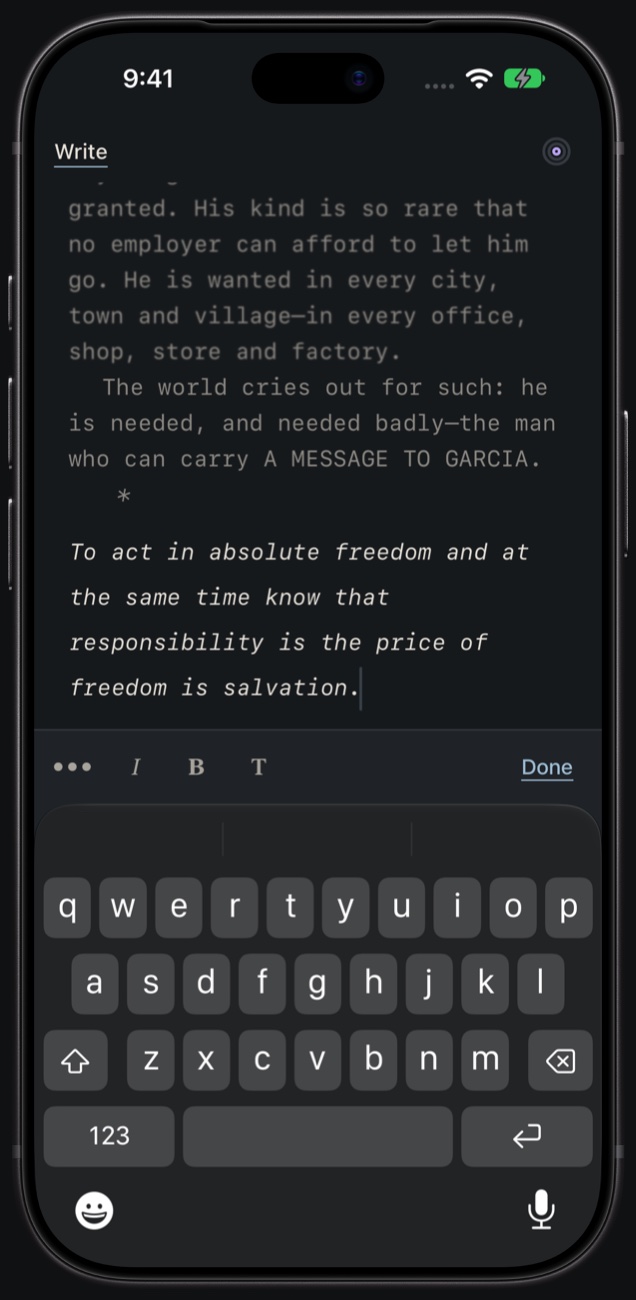
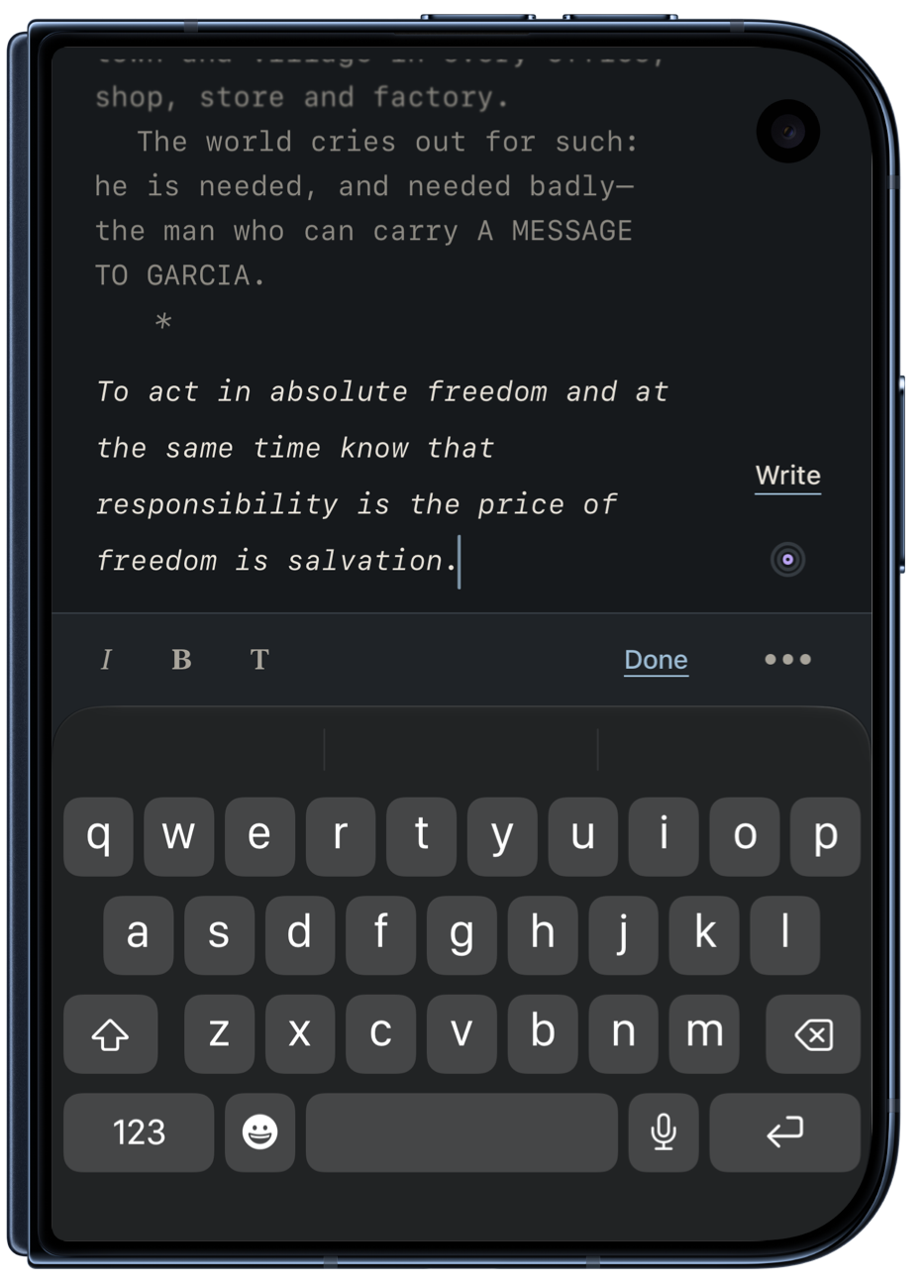
Write mode focuses you on writing progress above all else. The paragraph you’re on stays clear; the ones before it soften and blur, so you can stay in flow and keep going.
Bold and italic as you type, and Markdown you write turns into style.
Three modes · 2 of 3
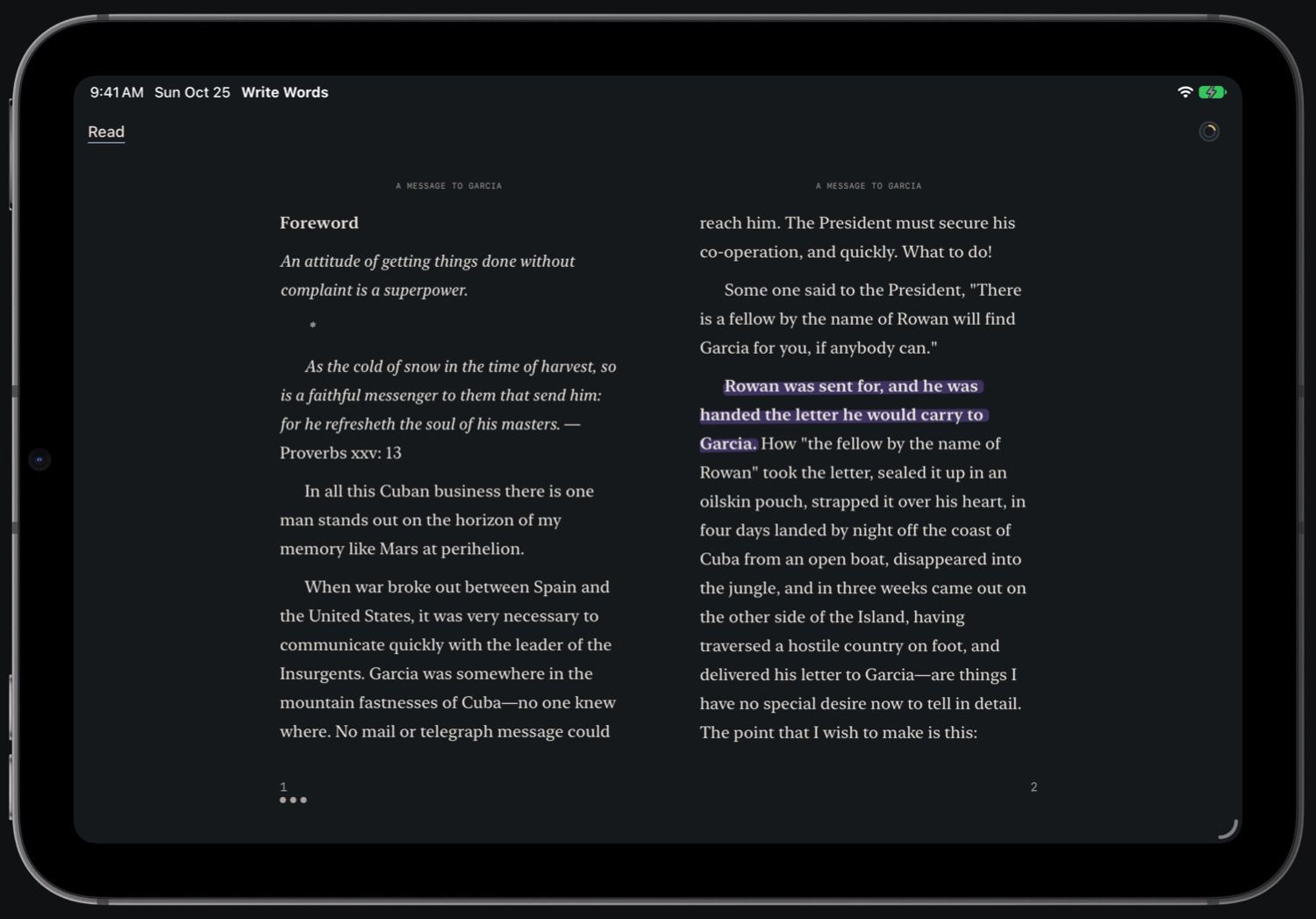
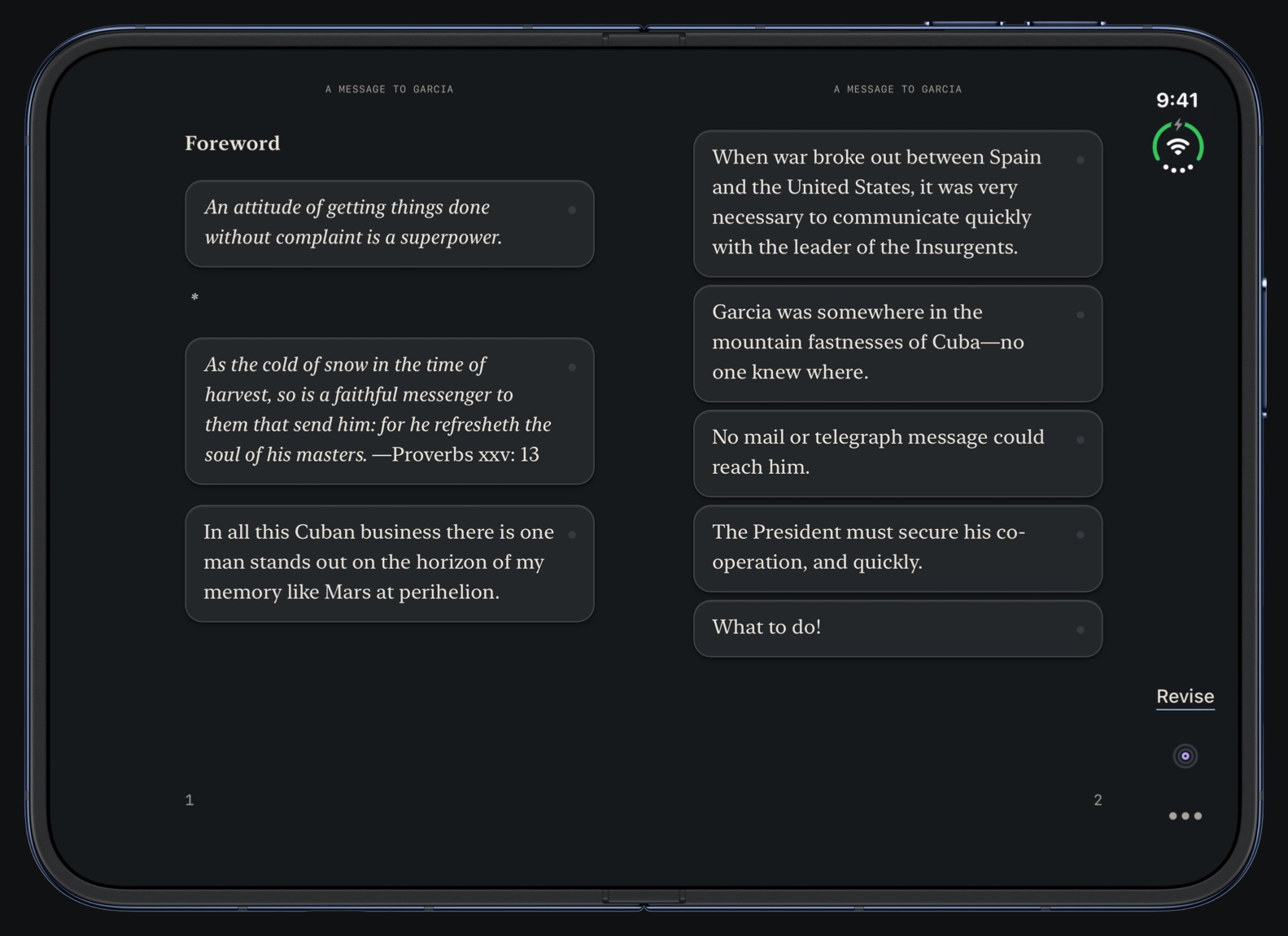
Read mode lets you review your writing or revision work in an elegant and easy-on-the-eyes digital reading experience. You’ll see the sentences you’ve revised in Write Words highlighted in Read mode.
Three modes · 3 of 3
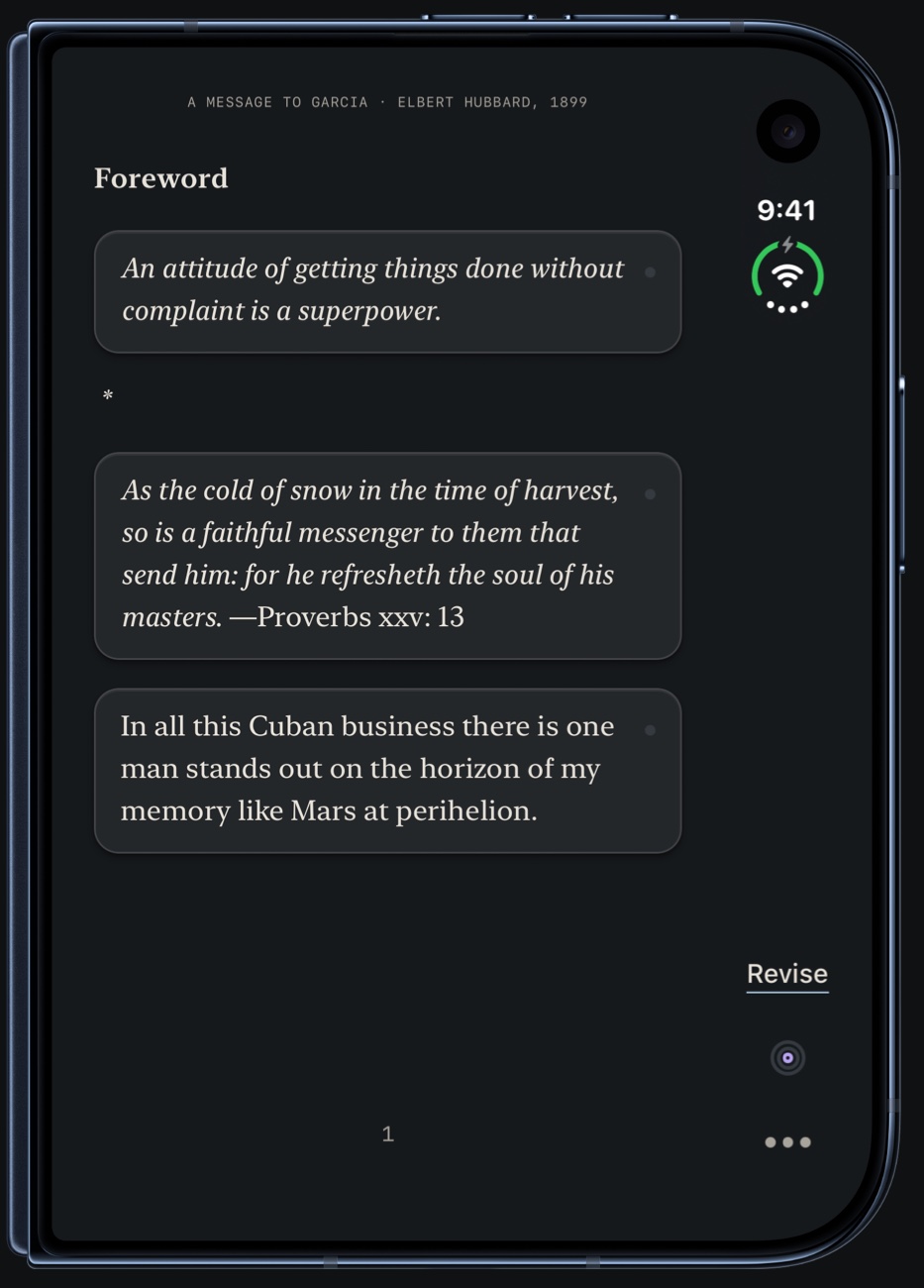
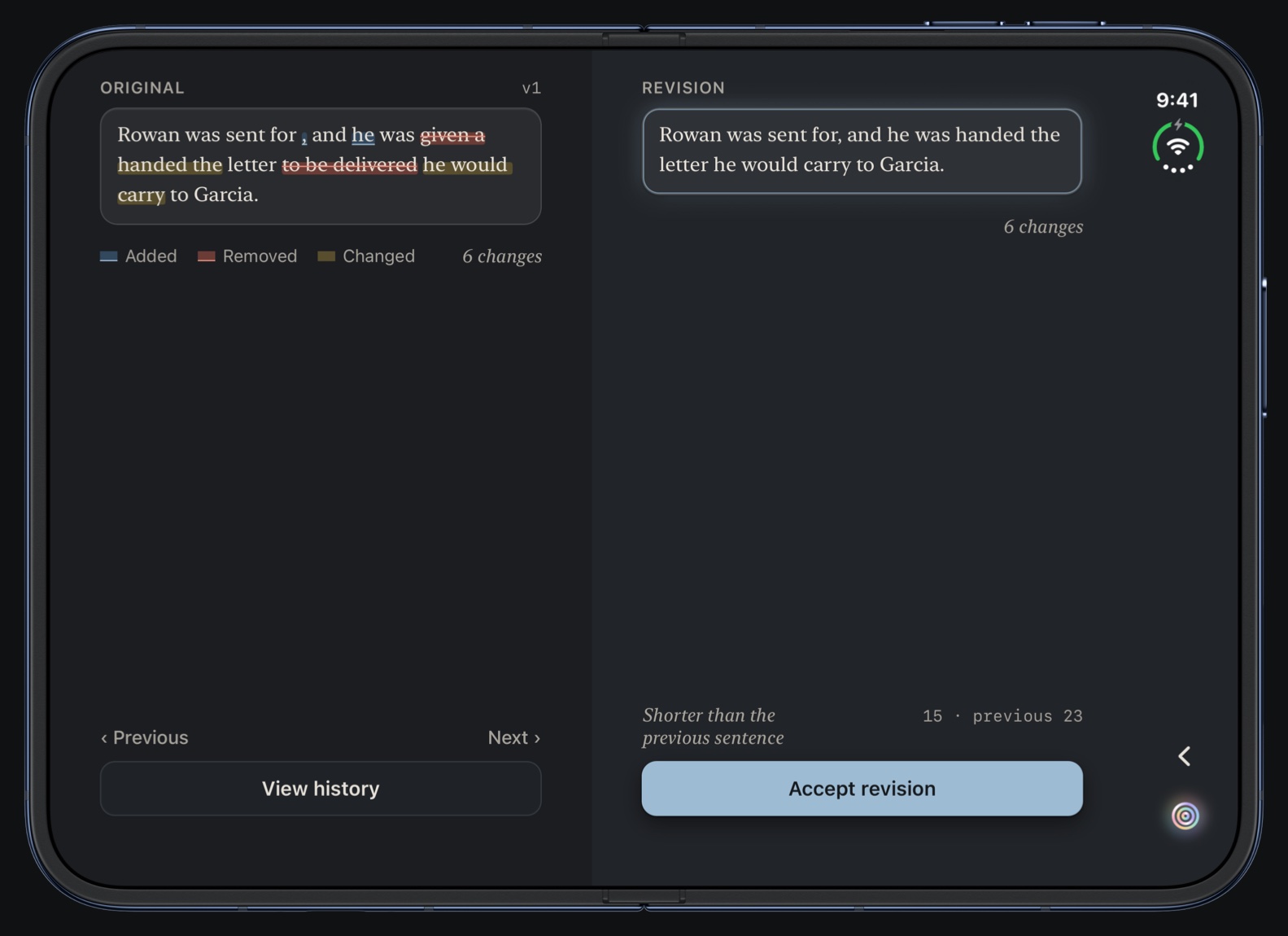
Hold any sentence to activate Revise mode. Select the sentence you will rewrite and directly compare your revision to the original. You’ll get insight into that sentence’s revision history, notes, and feedback suggestions while you do.
Apple Intelligence
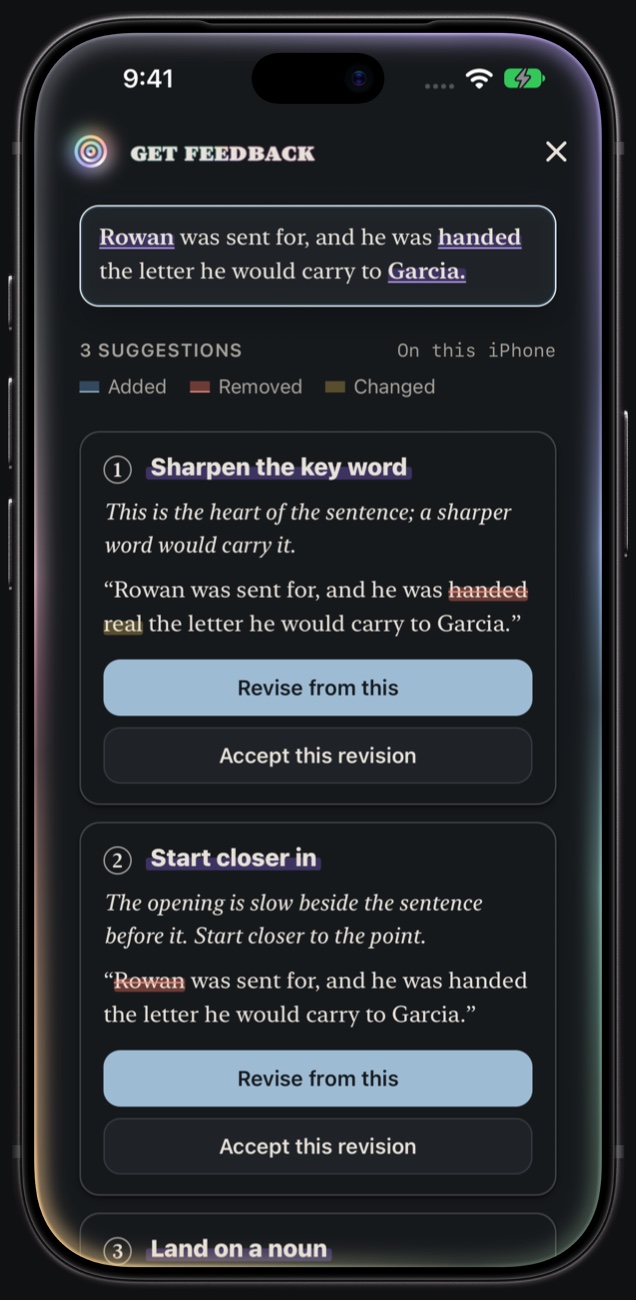
Apple Intelligence can act as an editor and help sharpen your prose. Not an AI writing for you, but an AI helping you master your writing.
Apple Intelligence runs directly on your iPhone or iPad, so your writing isn’t sent to a data center.
It won’t push long chunks of text. But it will pull better writing out of you.
Feedback uses the original sentence, any revision you’ve made to it, or notes you’ve created about it.
iPhone Duo
Write on the outer screen. Unfold it, and Revise opens where you were, the original and your revision facing each other across the fold.
AI drafts
Bring in what ChatGPT, Copilot or Gemini wrote and revise it, sentence by sentence, until it’s clear and yours.
Originalv1
It is important to note that the meeting has been moved to Thursday.
Revision
The meeting is now on Thursday.
Writing as a practice
Keep track of daily goals for reading, new words written, and for sentences revised. Make a habit of each with streaks.
Writing
12days
Revising
5days
Reading
3days
And everything around them
Every minute a text is open, Write Words saves a copy of it. Once a day, it saves a copy of every text with its history, and keeps 14 days of them.
Word, PDF, Pages, rich text, HTML, Markdown and plain text come in as Markdown. In other apps, choose Share, then Write Words.
Markdown, Word, PDF, EPUB, rich text or plain text, and a backup with every sentence’s history.
Choose how Write Words looks. Automatic follows your device: light by day, dark at night.
About every ten minutes the three dots type a short quote about writing. Hold one to keep it in Writing Thoughts.
No account, no ads, no tracking. Write Words collects no data. Feedback runs on your device, only when you ask.
Write Words Pro
Write with fewer distractions, read your words in style, and revise one sentence at a time beside the original.
An editor on your device suggests how to sharpen a sentence, and why. It never writes for you.
Bring in what ChatGPT, Copilot or Gemini wrote and revise it, sentence by sentence, until it’s clear and yours.
Daily rings for reading, new words and revised sentences, with streaks to keep the habit.
$4.99a year
7 days free, then about 42¢ a month, billed yearly.
$0.99a month
7 days free, then billed monthly.
Write and Read are free. Pro adds Revise, sentence history and feedback from Apple Intelligence.
Payment is charged to your Apple Account when the free week ends. Renews automatically; cancel anytime in Settings at least a day before it renews. Feedback needs a device with Apple Intelligence turned on.